Launching on Product Hunt

You write.
Margin does the rest.

The word processor you always wished existed. Talk to it like you'd talk to an assistant. It formats, organizes and publishes. It never writes for you.

7 days free, no card. Then $11 a month.

A short demo of the Margin desk with an essay open. The writer says “Nib, make the last three lines bullets” and they become a bulleted list. They say “Nib, double space” and the page opens up. They say “Nib, add page numbers” and a page number appears.

For people who do real writing

  • BooksChapters, a Book Bible and print-ready files.
  • EssaysSections you can move and rename by voice.
  • NewslettersDraft, tighten, send it out as Word or a Google Doc.
  • ReportsHeadings, page numbers and a table of contents.
  • ScriptsDictate dialogue as fast as you can say it.
  • ThesesEvery draft kept, with a diff for each one.

Decades of menus.
Now you just say it.

Word, Google Docs and Notepad all ask the same thing of you: stop writing, find the menu, find the setting, find your place again. Margin keeps a menu bar where you'd expect one, much as it was in 1997. You just don't have to go looking.

  • The old way: Format › Paragraph › Line spacing › DoubleIn Margin, say: “Nib, double space”
  • The old way: Insert › Page Numbers › Bottom of page › CenterIn Margin, say: “Nib, add page numbers”
  • The old way: References › Table of Contents › AutomaticIn Margin, say: “Nib, add a table of contents”
  • The old way: Select five lines › Format › BulletsIn Margin, say: “Nib, make the last five lines bullets”
  • The old way: Tools › Word CountIn Margin, say: “Nib, word count”
  • Press Talk, or F2Speak and the words land at your cursor, punctuated. Start with “Nib” and it's a command instead.
  • Premium voiceDeepgram recognition, 30 hours a month. Falls back to your browser's speech engine, so it never stops.
  • Asks, doesn't guessIf a command is unclear, Nib offers two or three readings and lets you pick.

Not a ghostwriter.

Your words. Your voice.

Margin isn't ChatGPT or Claude writing for you. Nib handles the work around the writing: formatting, structure, finding things and getting files out the door. When you ask it to touch a sentence, it suggests a tracked change and waits. You approve every change, or none of them.

  • Nothing changes until you accept it
  • Edits are checked against your style
  • Your writing isn't used to train AI models

01Suggestions

Nib suggests. You decide.

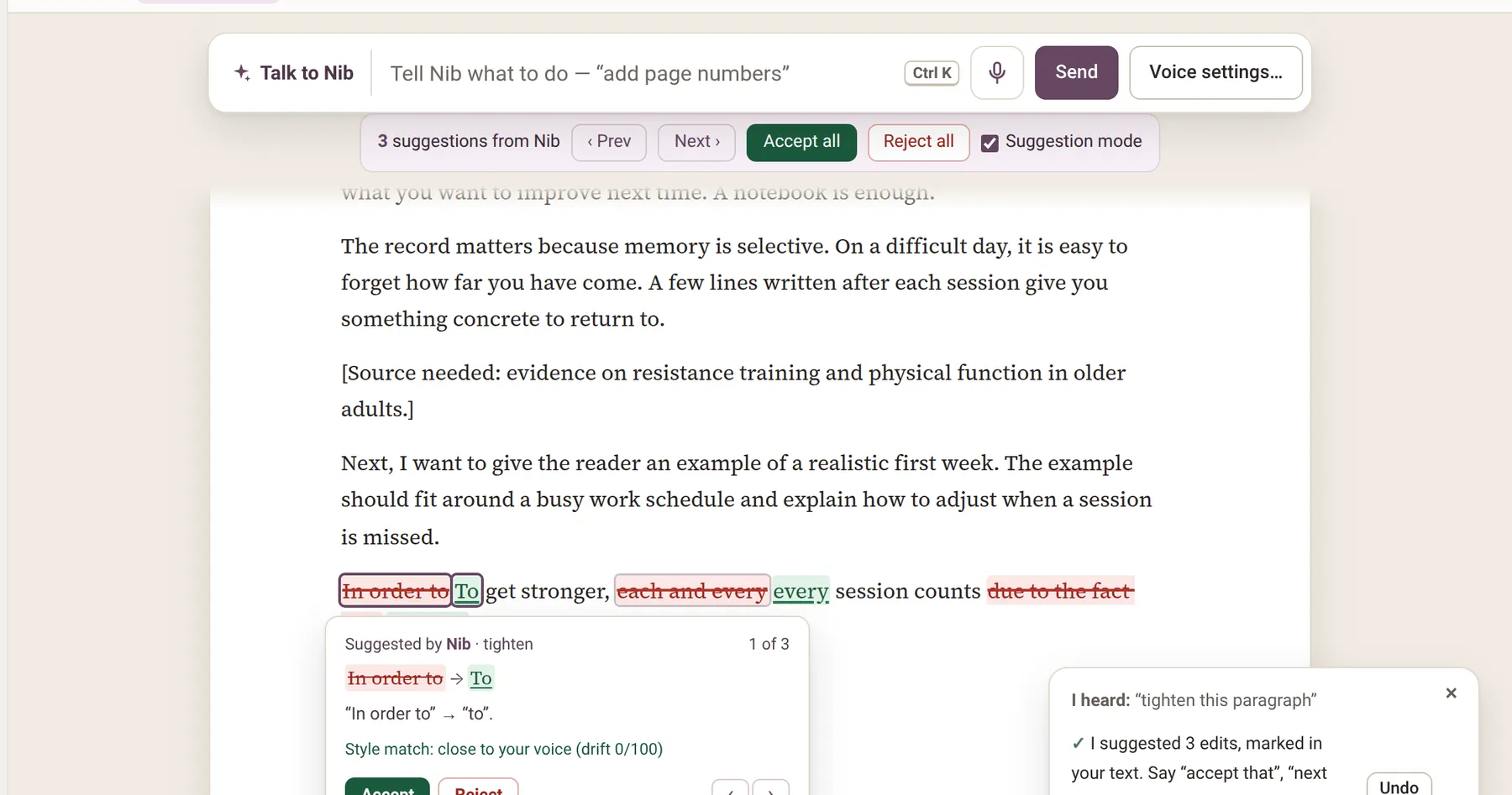
Ask Nib to tighten a paragraph and you get tracked changes, struck through and underlined, to accept or reject one at a time. Every edit is checked against how you write. One that drifts from your voice comes with a warning, including edits sent in from Claude or ChatGPT.

  • Accept or reject by voice
  • Shows who suggested each change
  • Style-drift warning on every edit

Demo: the writer says “Nib, tighten this paragraph”. Nib suggests a tracked change, with the old words struck through and the new ones underlined, and a note that the edit matches the writer's style. The writer accepts it.
02Book Bible

Anna stays Anna.

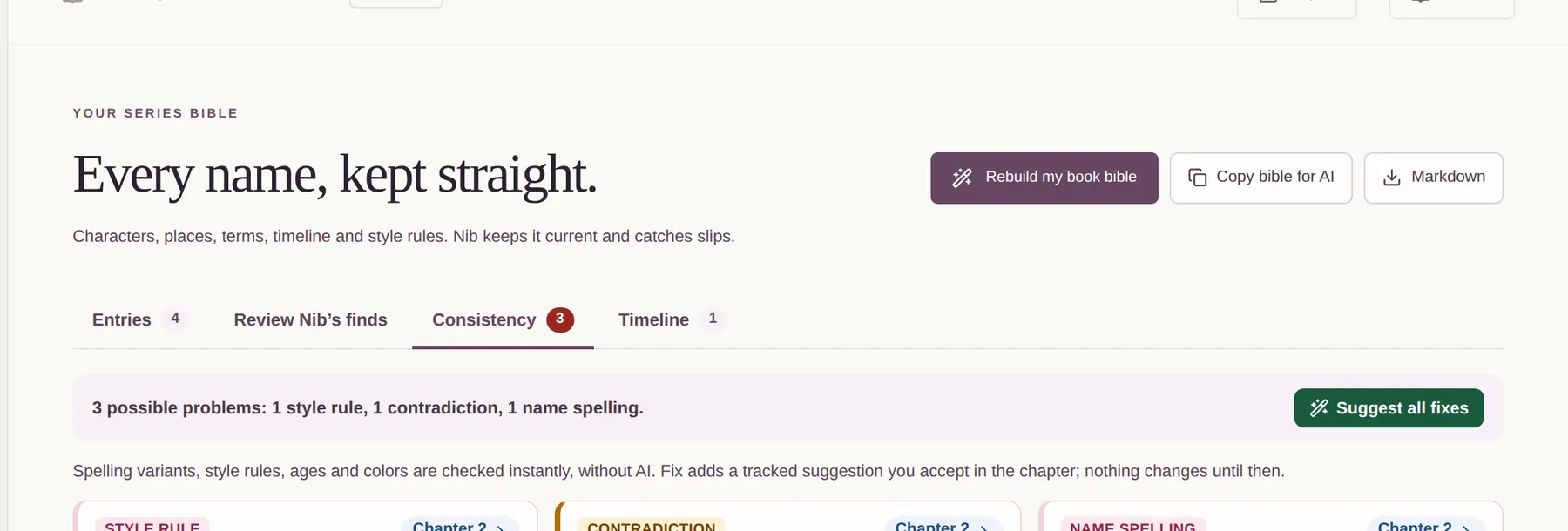
Keep names, places, terms, dates and style rules in one place. Margin reads your draft against it and flags a misspelled name, a contradiction or a broken style rule, with a one-click fix beside the passage. Nonfiction gets the same help with terms and claims.

  • Builds entries from what you've written
  • Notes sit in the margin
  • Ask “who is Mara?” out loud

Demo: the Book Bible has an entry for the character Anna Marsh. Margin reads chapter 9, underlines “Anne” and notes that the Bible spells it Anna. The writer clicks Fix and the name is corrected.

03Time Machine

Every draft. Still there.

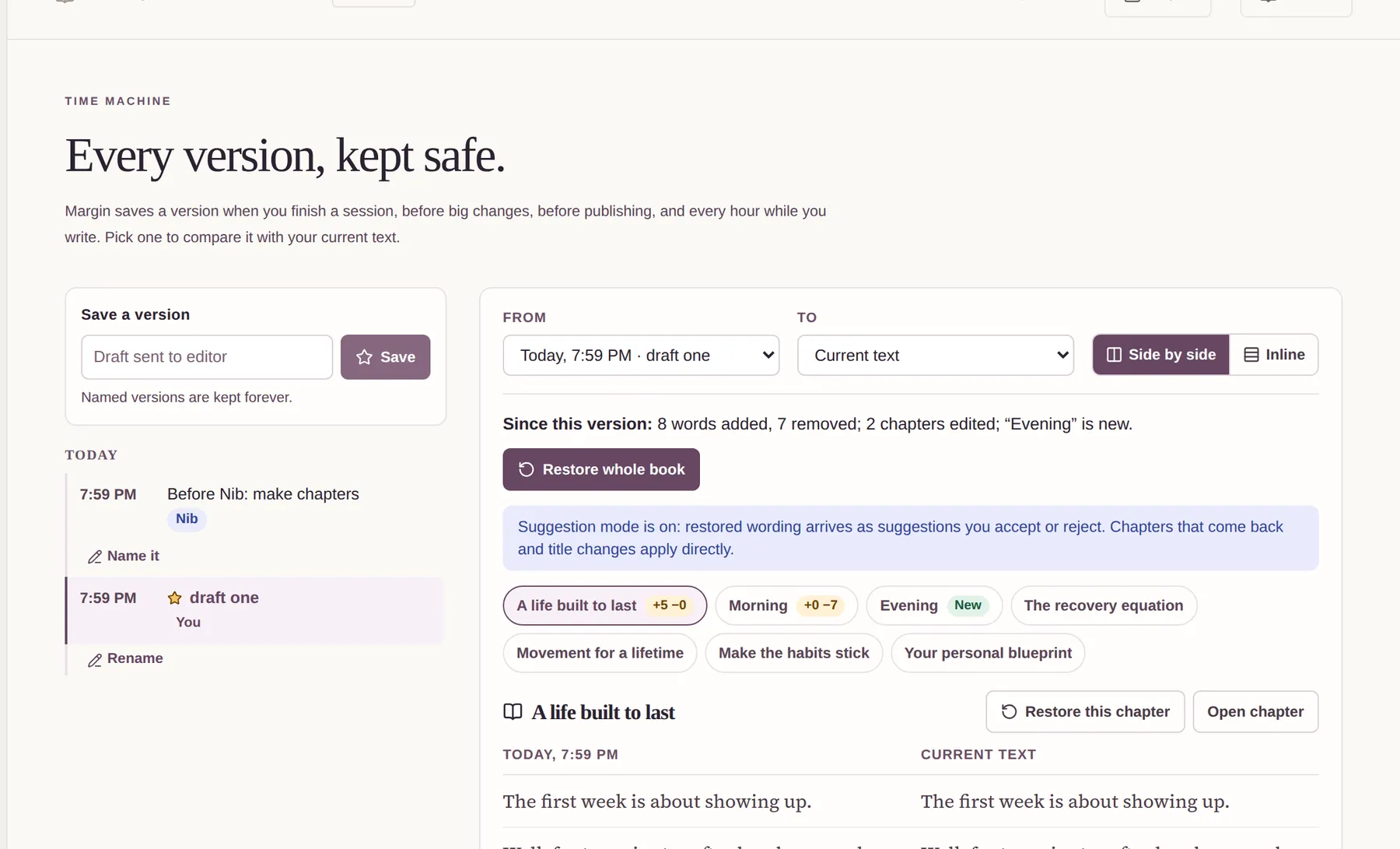
Margin saves a version when a session ends, before Nib makes a big change, before every export and once an hour. Scrub back to any of them, compare two side by side, and bring back the whole thing, one section or a single paragraph.

  • Word-level differences
  • Restores can come back as suggestions
  • Nothing to set up

Demo: the Time Machine scrubs back through saved versions of a paragraph, from now to Wednesday's pre-export copy, Tuesday's copy saved before a Nib change, and Monday's session. The writer restores Tuesday's paragraph as a suggestion.

04Publish

Write once. Send it anywhere.

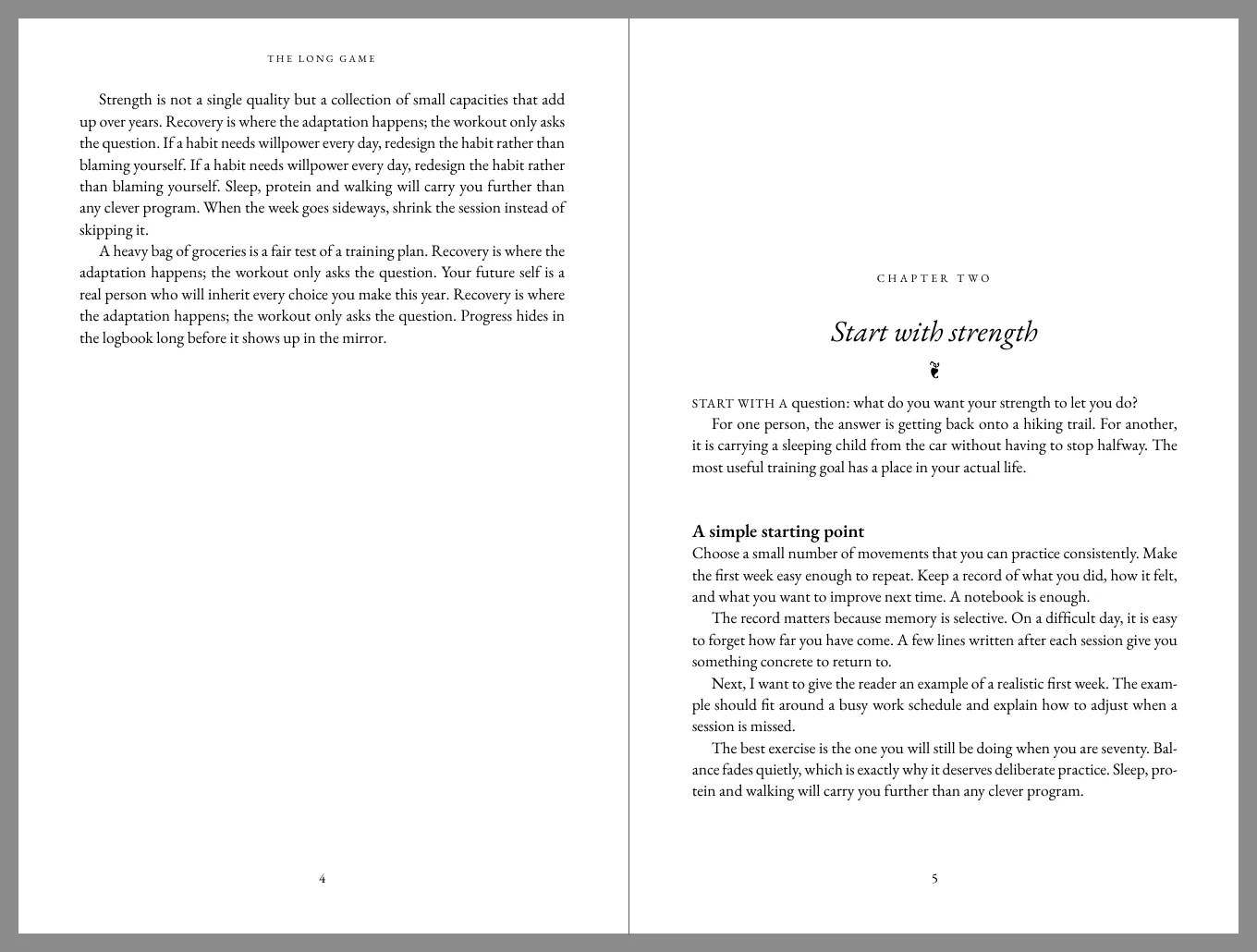
Margin has its own typesetter. Say “publish it” and it builds a PDF, a Word file and an EPUB from the draft you just approved, right in your browser. Save a copy as a Google Doc, or, if it's a book, make print-ready files for Amazon KDP and IngramSpark.

  • PDF, Word, EPUB, Google Docs
  • Six print trims, 5 × 8 to 8.5 × 11 in
  • Page count checked before you upload

Demo: the writer says “Nib, publish it”. The plain draft turns into a typeset two-page spread, and five outputs appear: PDF, Word, EPUB, Google Docs and a KDP print-ready file.

The real thing.

The scenes above are simplified to fit on a page. These are screenshots of Margin as it is today.

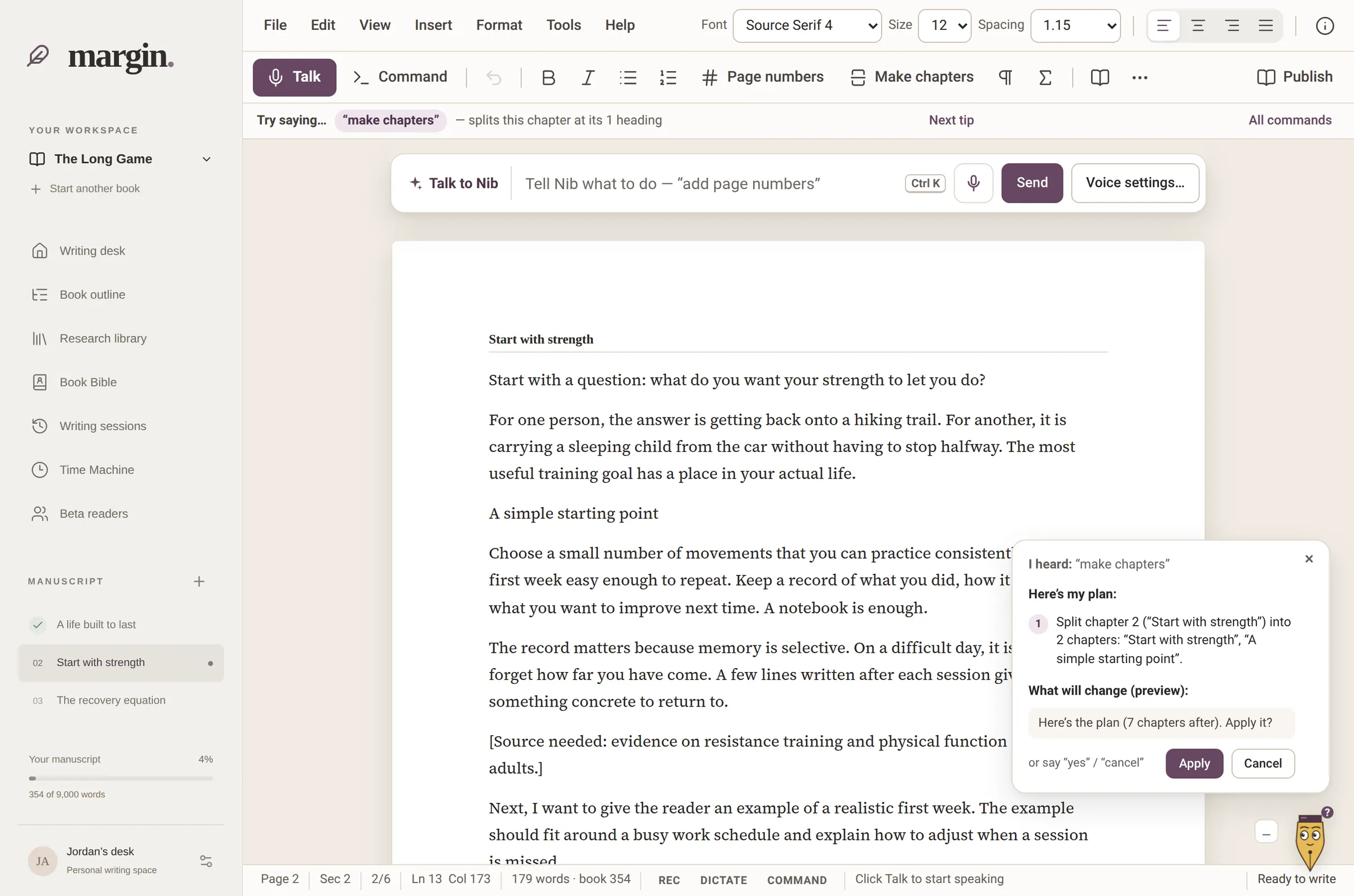
The Margin desk: a document open in the editor, the section list on the left, and Nib previewing a command with Apply and Cancel buttons.
The desk, with Nib previewing a command
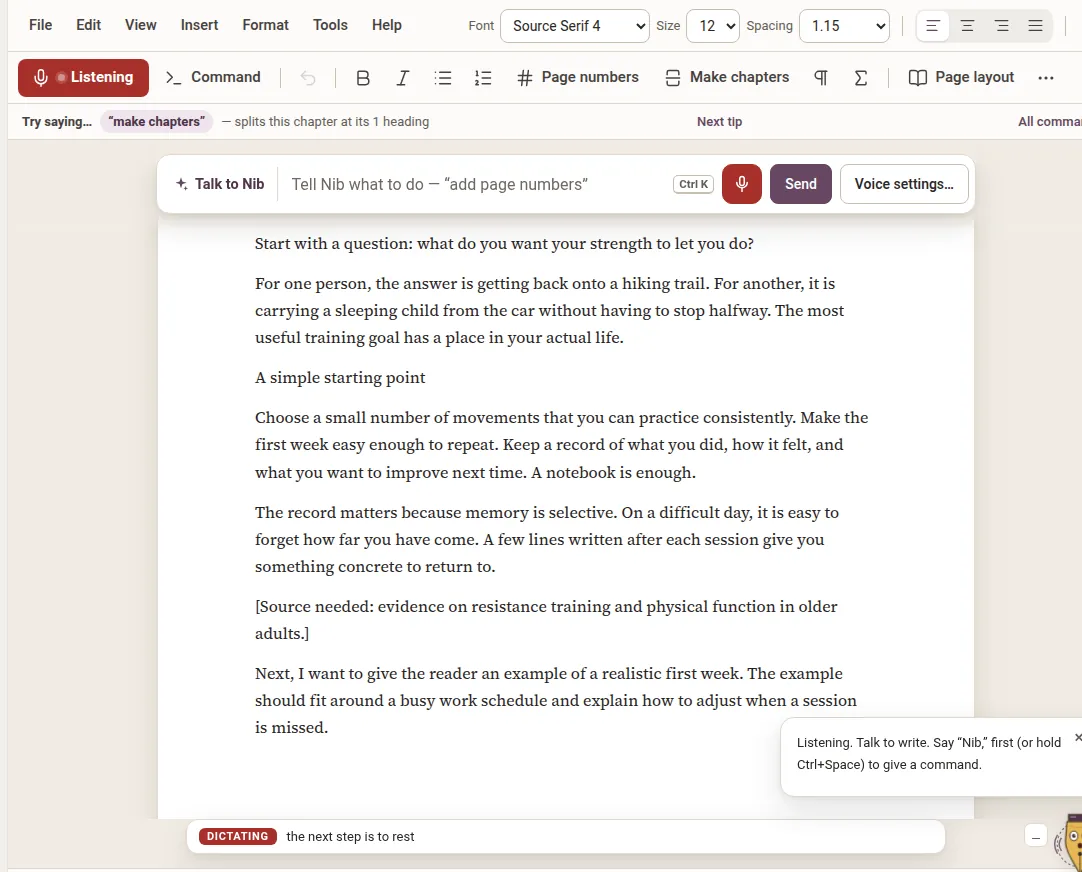
Margin's editor while listening: the Talk button is red and a strip at the bottom shows the words being dictated.
Dictating, with the words streaming in
Tracked suggestions: struck-through words, underlined replacements and a card reading 'Suggested by Nib, style match: close to your voice'.
Tracked suggestions with a style match
The Book Bible's consistency tab listing findings: a style rule, a contradiction about eye colour, and a name spelled two ways.
Book Bible findings, each with Fix and Ignore
Time Machine comparing two versions side by side, with the added sentence highlighted.
Time Machine, side by side
A two-page spread from Margin's print PDF: a chapter opener with a drop cap next to a page of justified text with running heads and page numbers.
A spread from a print PDF
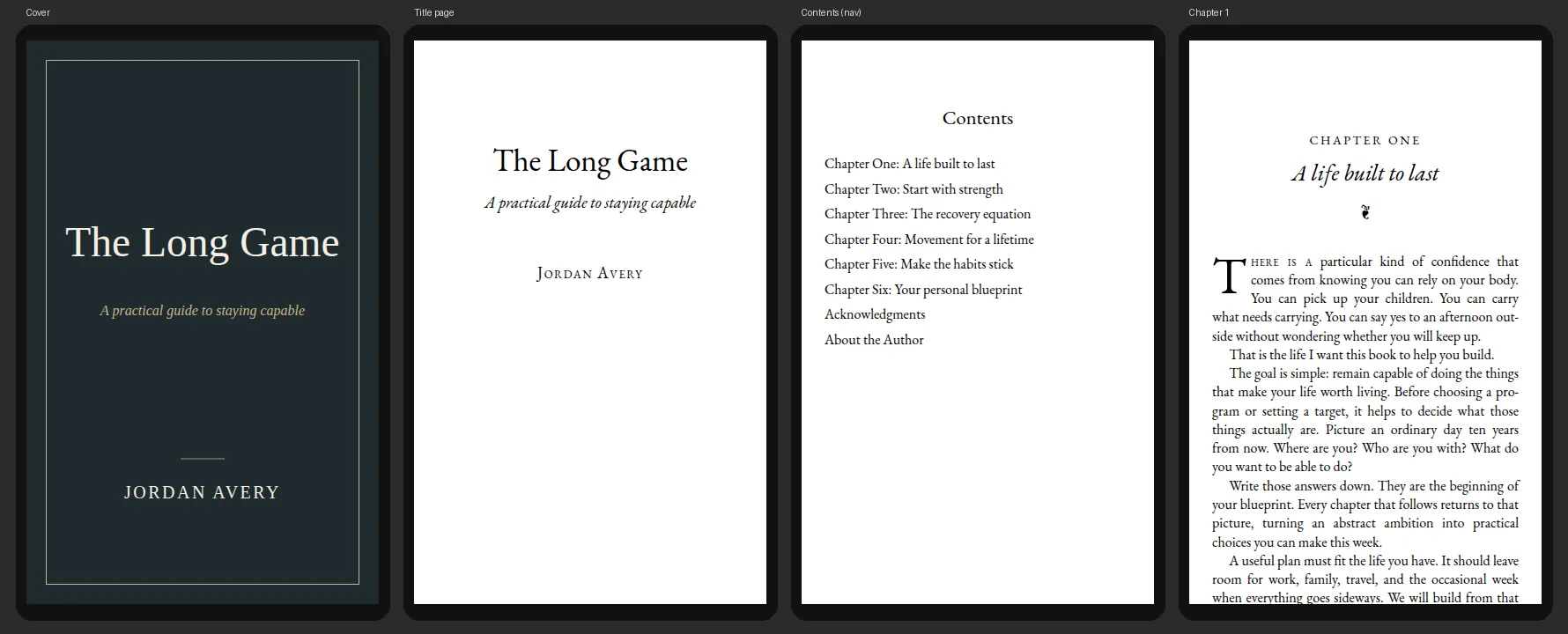
Four EPUB pages: a dark cover, a title page, a contents page and a chapter opener.
An EPUB: cover, title page, contents, opener

Also on the desk.

Beta readers

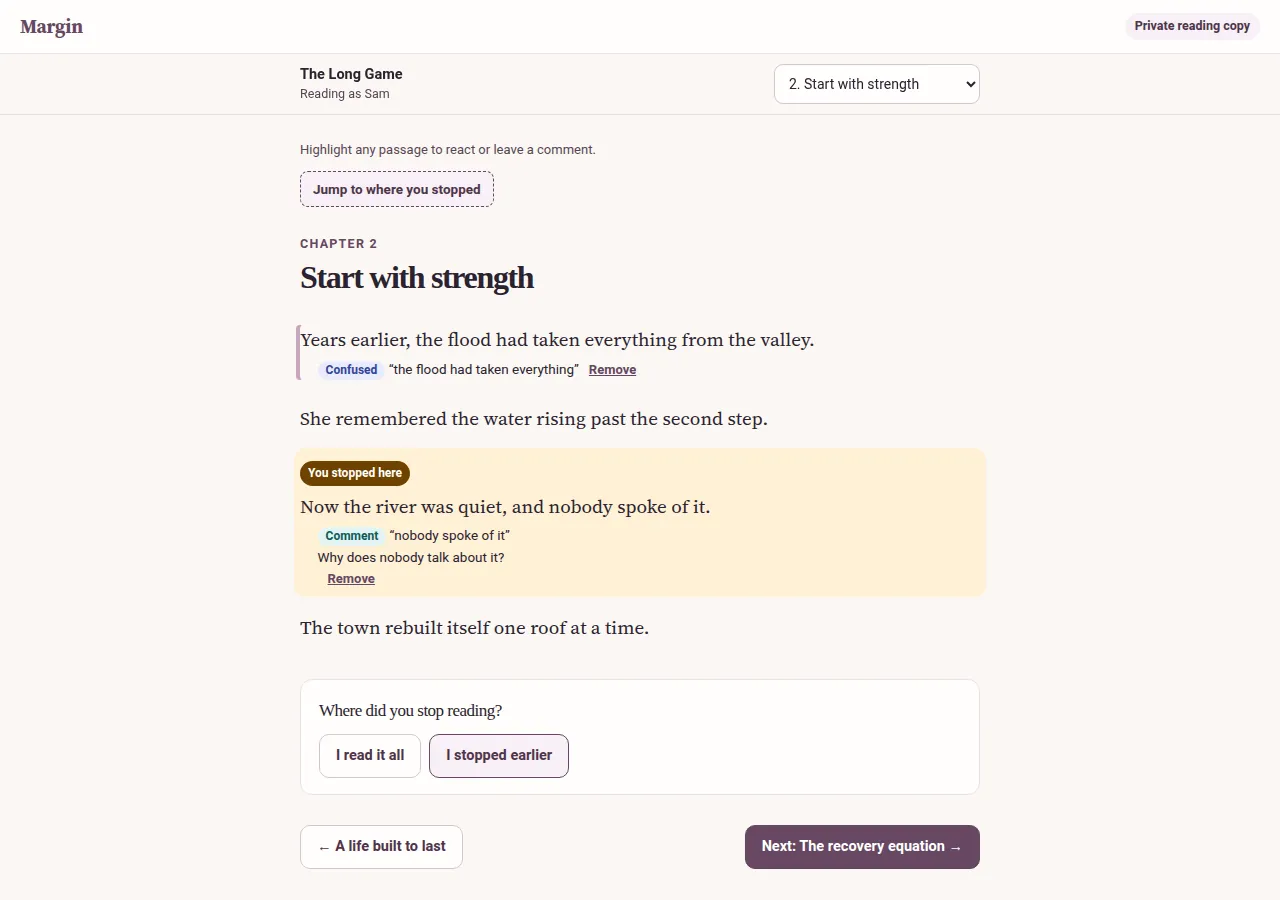
Send a private link to a frozen copy of the whole draft or one section. Readers don't need an account. They highlight, comment and tell you where they stopped, and their notes land in your margin. Links can expire and carry a passcode.

A beta reader's view of a chapter with a highlighted passage, a reader's comment and a 'Where did you stop reading?' question.

ChatGPT, Claude, Gemini, Cursor

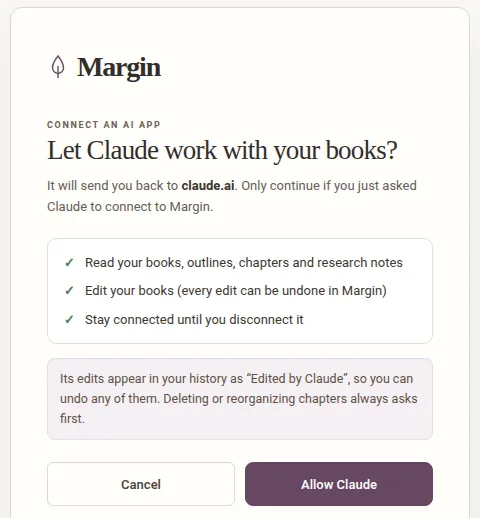
Connect over MCP and your assistant can read the outline, find a passage, add notes or run any Margin command. Its edits arrive as labeled suggestions you can undo.

Margin's consent screen: 'Let Claude work with your books?' with a list of what Claude can do and Allow and Cancel buttons.

Copy for AI

One click copies the whole draft as clean Markdown with a short prompt header, for any chat window.

Google Drive

Open a Google Doc or Word file as a new project, save it back as a Google Doc, and keep a daily backup in your own Drive.

Pricing

One plan.
A week to try it.

Sign up with your email and write for 7 days with everything switched on. No card, no plan to pick.

What happens after 7 days?
Margin asks whether you want to subscribe. If you don't, your account stays open and you can still read and download everything you wrote.
Is there a voice limit?
Premium speech recognition covers 30 hours of talking a month. Past that, Margin switches to your browser's free speech recognition until the month resets. Dictation never stops.
And for AI commands?
Nib's smarter command understanding has a fair-use limit of 1,500 requests a month on Margin's own model. Add your own OpenAI, Anthropic, Gemini or OpenRouter key and those requests don't count.

One plan

$11a month

7 days free. No card to start.

  • Everything on this page. There's no higher tier.
  • Up to 50 projects: books, essays, newsletters, reports, scripts, theses
  • Premium speech recognition (Deepgram), up to 30 hours a month
  • Voice commands, Nib suggestions and the Book Bible
  • Time Machine version history
  • Beta reader links with comments
  • PDF, Word and EPUB exports, including KDP print-ready files
  • Google Drive import, Google Docs export and a daily backup
  • Connections to ChatGPT, Claude, Gemini and Cursor
Start your free week

You only add a card if you decide to keep going after the trial. Payment runs through Stripe, and you can cancel from your account page at any time.

Questions.

Does Nib write for me?

No. Nib does the work around your writing: formatting, structure, finding things, exporting. It only touches your sentences when you ask, and then as tracked suggestions you accept or reject one at a time.

Is it only for books?

No. Margin is for any writing you care about: essays, articles, newsletters, reports, scripts and theses. Books get a few extras, like chapters, the Book Bible and print-ready files for Amazon KDP.

Do I need an AI subscription?

No. Voice commands, formatting and the Book Bible checks work without one. Margin's own model handles free-form requests, or you can plug in your own OpenAI, Anthropic, Gemini or OpenRouter key.

Who owns what I write?

You do. Download everything at any time as Word, EPUB, PDF, Markdown or a full backup, and keep a copy in your own Google Drive. Margin doesn't use your writing to train AI models.

Can I bring in a draft I already have?

Yes. Open a Google Doc or Word file from Google Drive, or import Markdown or plain text. Headings become sections.

Which browsers and devices?

Margin is built for a laptop or desktop. Premium voice works in current browsers; the free browser speech fallback needs Chrome, Edge or Safari. Beta readers can read on a phone.

Just write.

Margin takes care of the rest, and asks before it touches a word.

Start your free week

7 days free, no card. Then $11 a month. Cancel anytime.